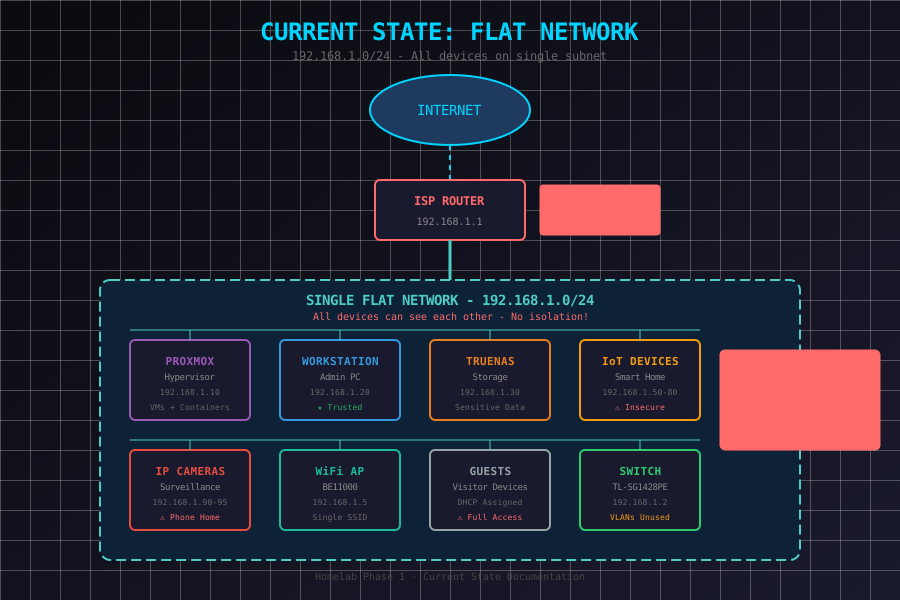
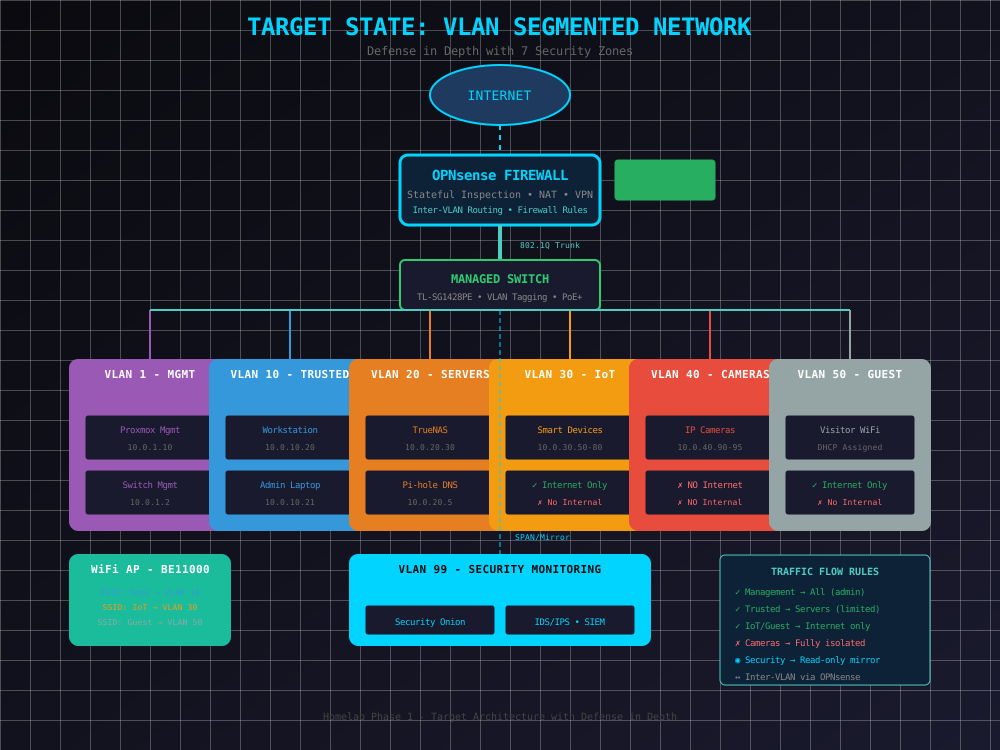
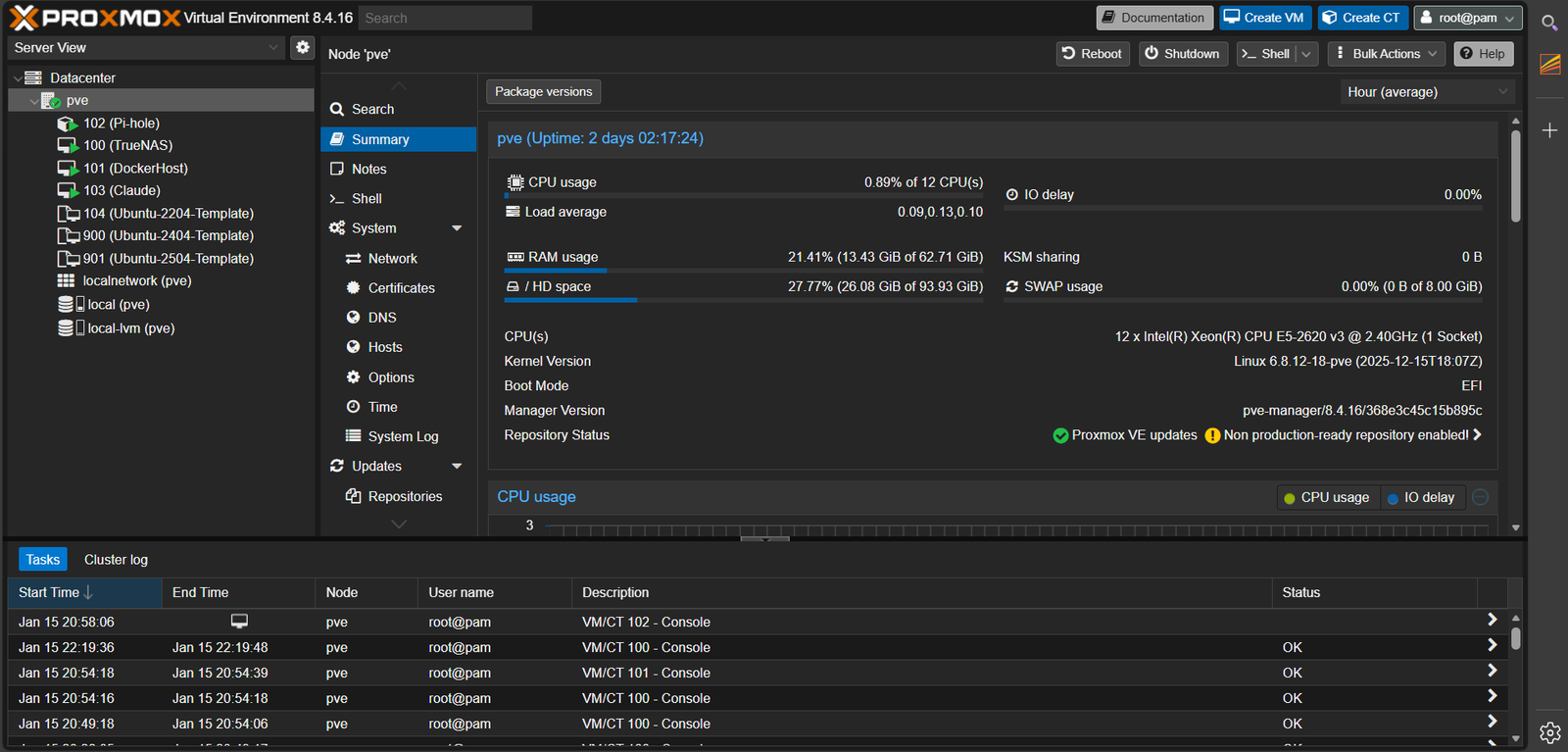
Every IT professional starts somewhere. Most start with a consumer router, a basic setup where everything just... works. But "working" isn't the same as "secure" or "properly designed." This project is my journey from that basic setup to something I'd actually deploy in a professional environment - and I'm documenting every step so you can follow along or build your own.
Why This Project?
It started with a disaster. A power outage took down my virtualized pfSense router, and suddenly I was locked out of my own hypervisor. Cue panic mode - I scrambled to plug in the ISP router before my family noticed the WiFi was down (priorities, right?). But that frustrating moment became an opportunity.
Instead of just fixing the problem, I decided to rebuild everything from scratch - and document the entire process. Why? Because I've taught enough students to know that the best learning happens when you can see someone else work through real problems. This isn't a sanitized tutorial where everything works perfectly. This is real infrastructure, with real mistakes, and real solutions.
Key Objectives
-
Network Segmentation
Isolate devices by trust level using VLANs
-
Defense in Depth
Multiple security layers with least-privilege access
-
Visibility
IDS/IPS monitoring and traffic analysis
-
Documentation
Professional-grade documentation and procedures
The plan? Start with security as the foundation, not an afterthought. Once the network is properly segmented and locked down, then we can have fun adding services. Too many homelabs are built the other way around - cool services on an insecure foundation. Let's do it right.
Network Segmentation is the practice of dividing a network into smaller, isolated sections. Why does this matter? If an attacker compromises one device (say, a smart TV), segmentation prevents them from moving laterally to your important systems (like your file server or workstation).
Defense in Depth is a security strategy that uses multiple layers of protection. Instead of relying on a single firewall, you combine:
- Perimeter security - Firewall at the network edge
- Network segmentation - VLANs to isolate traffic
- Access control - Only allow necessary connections
- Monitoring - IDS/IPS to detect threats
- Endpoint security - Antivirus and host firewalls on devices
Least Privilege means giving users and devices only the minimum access they need. Your smart thermostat needs internet access to check weather - it doesn't need to access your file server.
For the exam: These concepts appear on Security+, Network+, and even A+. Understand that defense in depth assumes any single control can fail. Know common segmentation techniques: VLANs, subnets, DMZs (demilitarized zones for public-facing servers), and air gaps (complete physical isolation).